Intro
Autochart turns a song into a five-fret guitar chart for Clone Hero and YARG. It runs on your own device, it's free, and your music never leaves your computer.
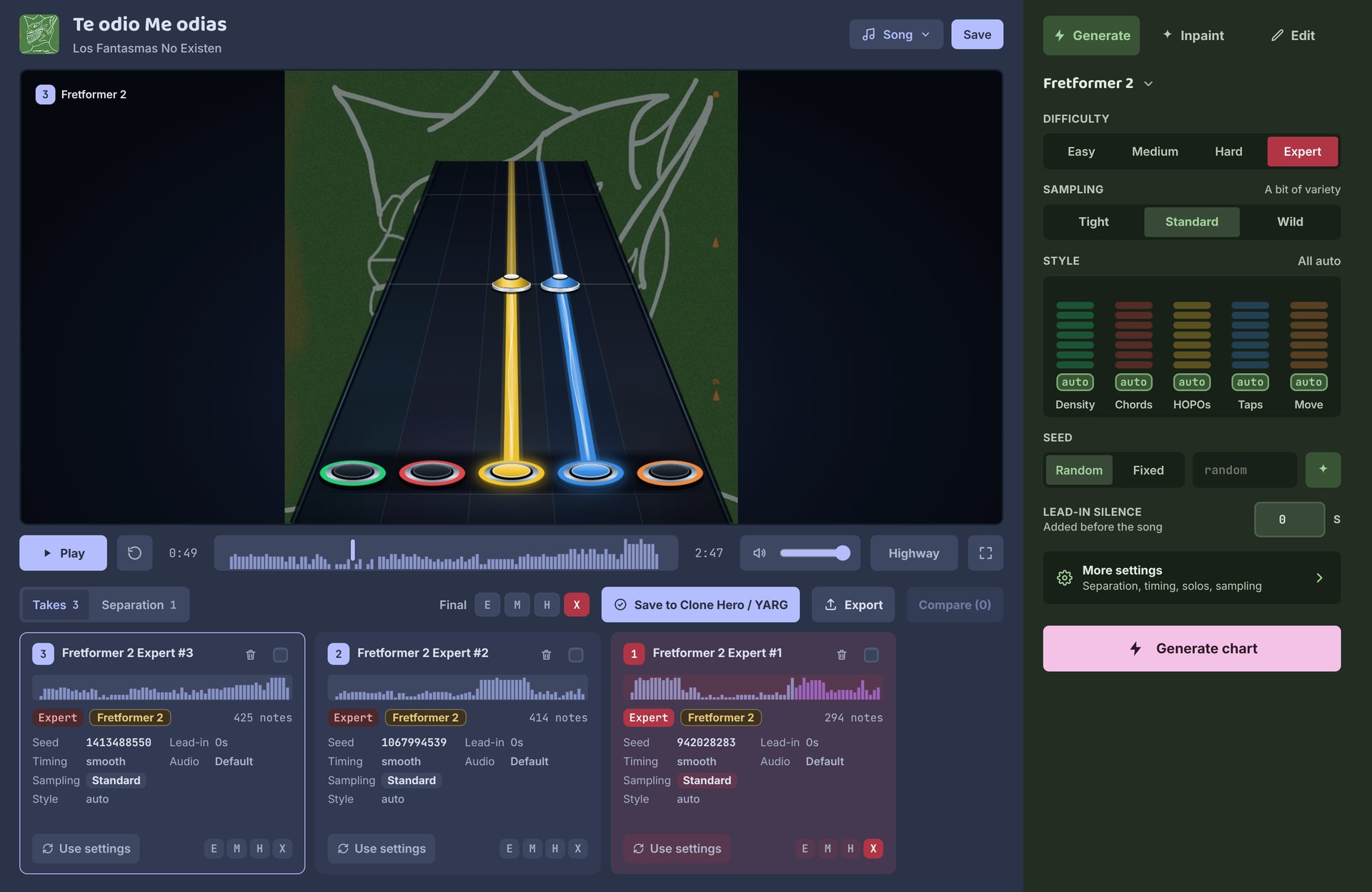
Start
- Add a song. Drop an audio or video file on the Library, or a Clone Hero song folder that has a
notes.chart. - Generate. Pick a difficulty and press Generate chart. Notes show up on the highway as they're written.
- Keep the best take. Make a few, compare them, fix what you don't like, then put one in each difficulty of the final chart.
Then export it to your Clone Hero or YARG songs folder and play.
Desktop or browser
Both make the same charts with the same model. The desktop app is faster and keeps a library.
| Desktop app | Browser | |
|---|---|---|
| Speed | Fastest, on your graphics card | Slower, and needs a browser that reaches your graphics card |
| Songs | A library of projects, and a queue to chart many songs in a row | One song at a time |
| Keeps your work | Every project, until you delete it | Until you close the tab, so export first |
| Saves to | Your Clone Hero or YARG songs folder | A download (.sng or .zip), or the songs folder in Chrome and Edge |
| Models | Fretformer 2, Lite and Fretformer 1 | Fretformer 2 and Lite |
Get the desktop app on the download page, or see Install. For the browser, see Browser.
What it charts
| Instrument | Five-fret lead guitar. No bass, drums or vocals yet. |
| Difficulties | Easy, Medium, Hard and Expert. Expert is the strongest; lower ones are rougher for now. |
| Songs in | Audio and video files, and Clone Hero songs with a notes.chart (not notes.mid yet). |
| Charts out | A Clone Hero / YARG song: notes.chart, song.ini, audio, album art and background. |
Already have a chart that's only on Expert? Open its song folder and generate the difficulties it's missing. The new ones use the original chart's timing.
Getting help
Start with Troubleshooting. If that doesn't cover it, open an issue on GitHub with your system, the app version and what happened. A screenshot helps.