Takes
Each time you generate, you get a new take. Takes stack up under the highway, newest first, and nothing is lost until you remove it. Inpaint and hand edits go into an edited copy of a take, so the original stays as it was. The final chart is the takes you pick for each difficulty.
Take cards
Click a card to play it on the highway. Each card shows how it was made:
| On the card | What it means |
|---|---|
| Name | The model, difficulty and number, such as Fretformer 2 Expert #3. Edits add Edit 1, Edit 2 and so on. |
| Note strip | How busy the chart is across the song, so you can spot empty parts at a glance. |
| Notes | How many notes the take has. |
| Seed, Timing, Sampling, Style, Lead-in | The settings it was made with. |
| Button | What it does |
|---|---|
| Use settings | Loads this take's settings, seed included, into Generate. Good for making a close variation. |
| E M H X | Puts the take in that difficulty of the final chart. |
| Checkbox | Marks it for Compare. |
| Trash | Removes the take. |
Compare
Tick two or more takes and press Compare. Their highways play side by side, in time with each other.
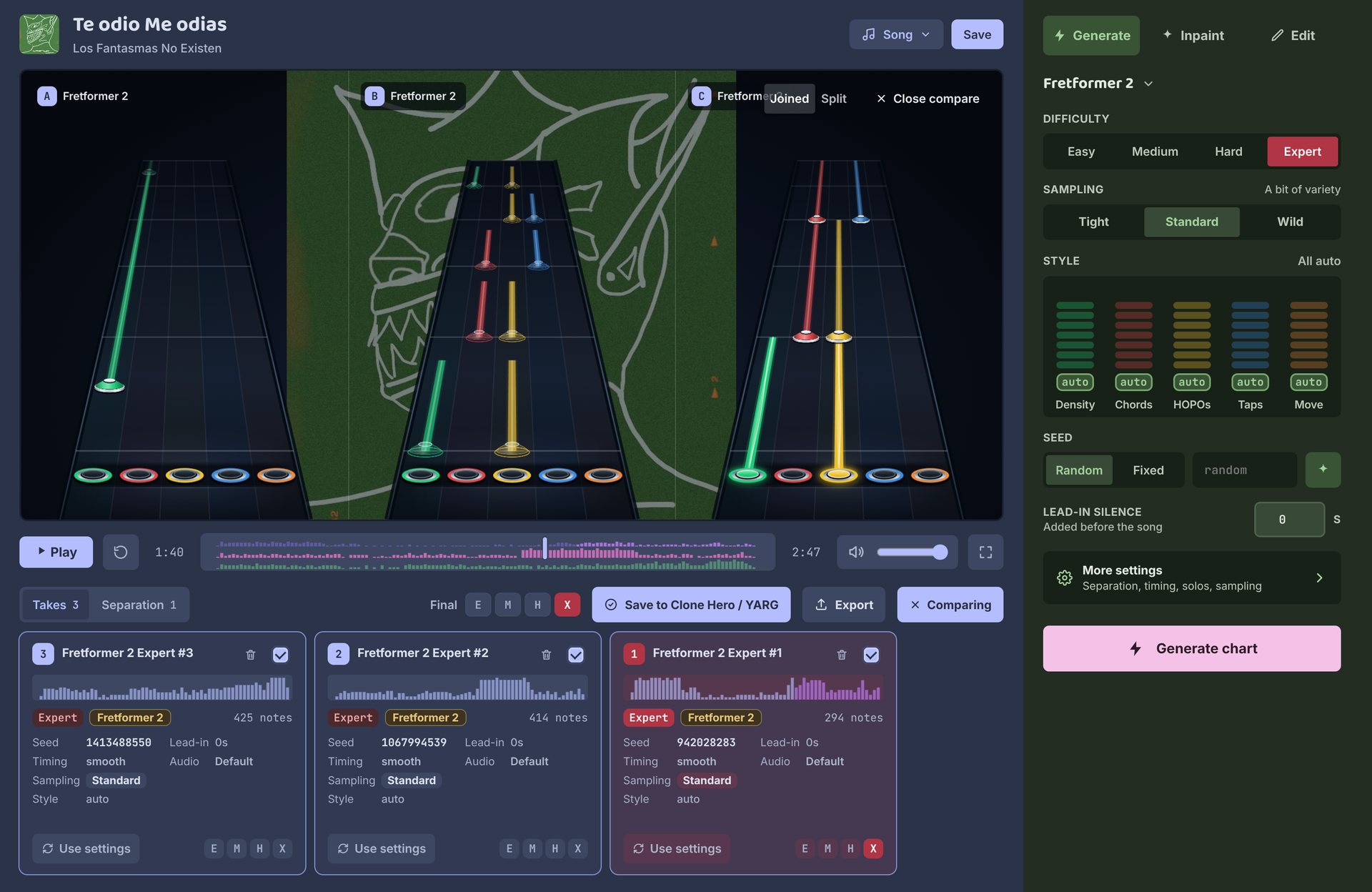
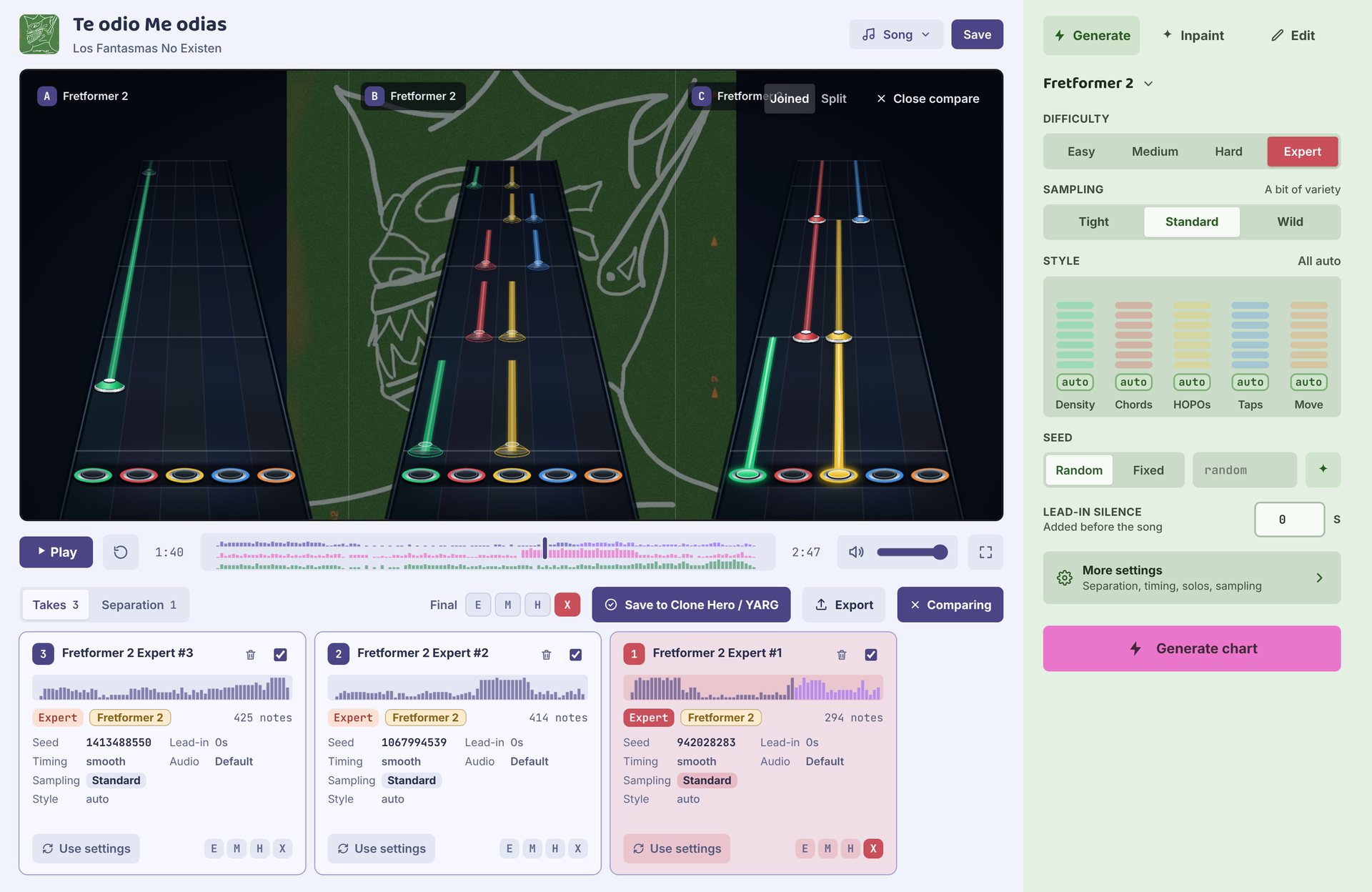
Joined puts the highways together over one background; Split gives each its own. Close compare goes back to one highway.
Final chart
The Final row above the cards has a slot for each difficulty: E Easy, M Medium, H Hard and X Expert. Fill a slot with the same letters on a take. Click a filled slot to preview it, or clear it.
Slots fill themselves at first: a song's first take of each difficulty goes in its slot, and a chart you brought in fills the slots it already has. Change any of them whenever you like.
Only filled slots are exported, so a song can ship with just Expert. You need at least one. When it's ready, see Export.
Separation
The Separation tab, next to Takes, shows the song split into vocals, guitar, bass and drums. Play any stem on its own to hear what the model hears.
| Button | What it does |
|---|---|
| Use for charts | New takes use this separation. |
| Remake | Separates the song again and keeps both. Different separations can change what the model picks up. |
| Separate now | Makes the stems before the first chart, to listen first. |
To save space, the stems are deleted after a chart is made; playing a stem separates the song again. Turn on Keep separated stems in Settings to keep them.
Rules
- One beat map. All takes in the final chart need the same timing. Takes made with a different beat map or smoothing setting can't be combined.
- One lead-in. All takes in the final chart need the same lead-in silence.
- Older takes. Takes from Autochart 0.1.0 used older timing and can't share a final chart with new ones. Generate them again to use them together.
Autochart tells you which takes clash when you try to export.